Legacy system replacement
Replace your legacy investment tracking system
If your investment accounting still runs on legacy investment tracking software — a desktop tool well over a decade old that keeps holdings in CSV files, on a platform its maker no longer supports, tied to a single aging machine — you already know the strain: an unsupported codebase, brittle exports, manual workarounds, and an examiner-facing process held together by a single legacy install. FI Investment Tracker is a modern, local-first replacement built for the exact workflow that older investment-accounting software was meant to serve, with a concrete, honest path to migrate your portfolio off it.
The pain you already know
The legacy investment system is decades-old software that stores holdings as flat CSV files. It runs on an unsupported, end-of-life platform, depends on one machine, and resists modern controls — while your examiners and auditors expect more every cycle.
A modern subledger
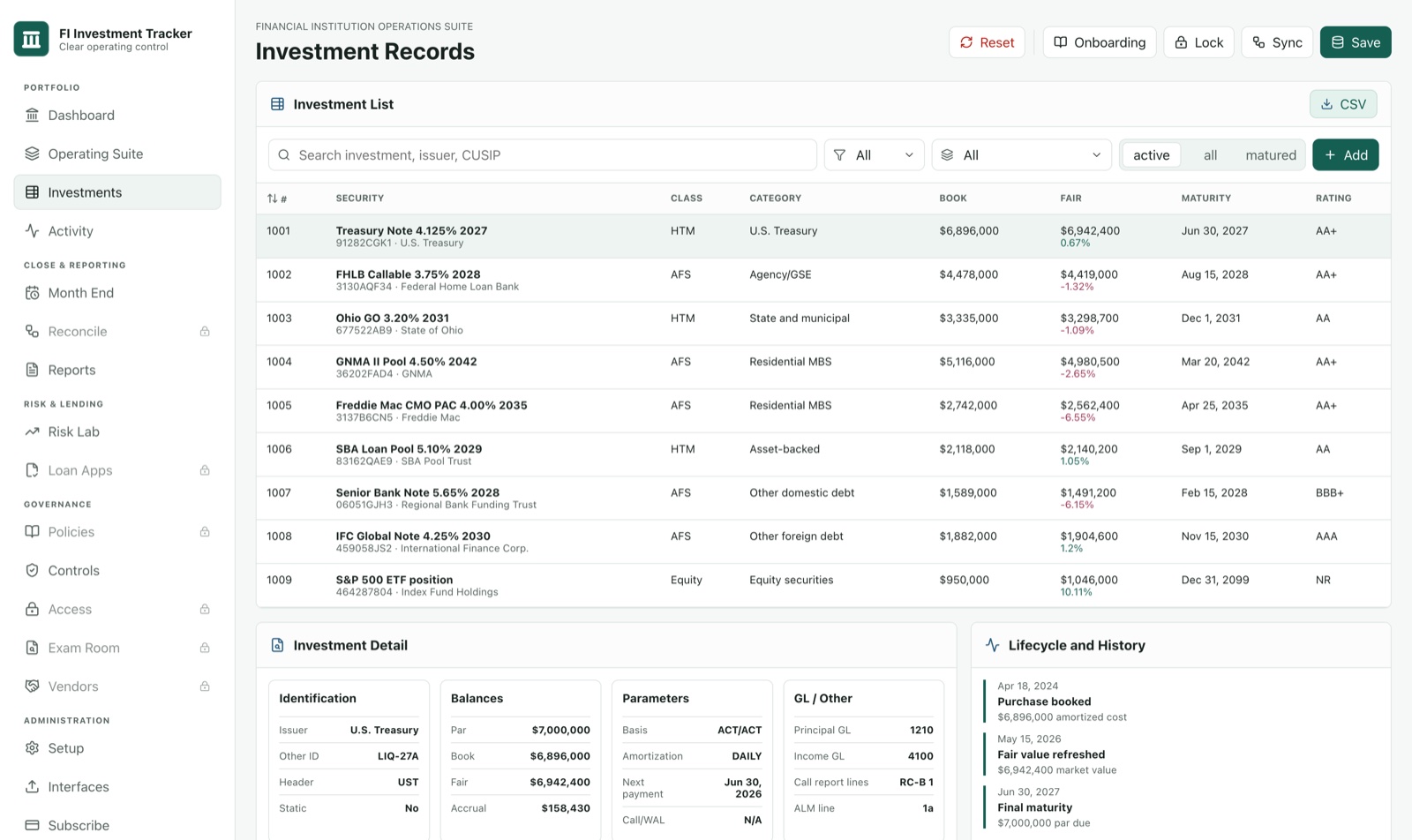
FI Investment Tracker does the same job your legacy tool did — effective-interest amortization, premium/discount, MBS/CMO factor paydowns, month-end close, and call-report support — rebuilt as current, maintained, code-signed software.
Local-first, like before
The legacy tool kept your data on your own machine, and so do we. Your portfolio lives in an encrypted local database on your hardware — it never travels to a vendor cloud. You keep the data-custody model you already trust.
A real migration path
You don't re-key years of holdings. Export the holdings file your current system already exports, choose our built-in legacy import profile, and your amortized cost, accruals, and factor data carry over — explained in plain detail below.
Why credit unions and community banks move off legacy investment software
The legacy investment system was a capable tool in its era, and many institutions ran it well for years. But its platform is end-of-life, the CSV file format makes integrity hard to prove, and a single aging install is a fragile place to keep a securities subledger that feeds your NCUA 5300 / FFIEC RC-B reporting. Replacing it isn't about chasing features — it's about putting that monthly and quarterly process on software that is current, maintained, verifiable, and still local to your institution.
1
Export from your current system
In your existing legacy install, export the holdings file your current system already exports. No special add-on or vendor involvement required on the legacy side.
2
Pick our built-in legacy import profile
In FI Investment Tracker, choose our built-in legacy import profile. It recognizes your existing system's column layout, so the importer maps your fields automatically instead of asking you to guess.
3
Review and close
Confirm the imported positions, then run your first month-end close in the new system with the same balances you carried in the legacy tool — ready for reconciliation and your call-report package.
 What carries over from your legacy system
The import is built around real legacy-export data, not a lowest-common-denominator CSV. From the holdings file your current system already exports, FI Investment Tracker brings over your amortized cost, accrual, factor, WAC/WAM, CPR/PSA, call dates, and step schedules — the figures that took years to build and that you can't afford to re-derive by hand.
Holdings that don't carry a CUSIP — the non-standard positions tracked by their account number — import on their account number, so they aren't dropped or orphaned during the move. We'd rather tell you plainly what the profile recognizes than promise a magic one-click migration; you review the result before you rely on it.
Your data stays yours
FI Investment Tracker is local-first: your portfolio sits in an encrypted database on your own machine, never on a vendor server. Moving off the legacy system doesn't mean handing your securities records to someone else's cloud — it means keeping them in your building, under your controls.
Authentic, verifiable software
Every release is code-signed by GRANITE HALL SOLUTIONS LLC, the verified publisher your IT team sees on a Windows install, and ships with a published SHA-256 checksum — so you can confirm the exact file you ran is the one we built, unmodified.
Examiner-ready by design
Month-end close with GL tie-out, reconciliation, on-device restore points, and call-report support packages for NCUA 5300 / FFIEC RC-B — the audit and exam evidence your team has to produce, built into the workflow rather than reconstructed from CSVs.
No procurement marathon
Because there's no hosted copy of your data to vet, the local-first model removes the vendor-cloud risk a long security review exists to catch — so your team can evaluate, install, and adopt without a six-month cycle.
Honest about where we are
We're a new company and won't claim otherwise. We don't yet hold a SOC 2 attestation — SOC 2 mostly attests how a vendor protects data it hosts on your behalf, and in our local-first model there's no hosted copy of your portfolio to protect, because it never leaves your machine. We won't post fake customer counts, logos, or testimonials. What we will do is show you exactly how the legacy migration works and let the product earn the move.
Ready to leave your legacy system behind?
See the editions and pricing, then download the code-signed Windows installer and run your first import. Have a migration question first? Our team can walk through our built-in legacy import profile with you.